Adventure Knight

In Development
Action RPG

Four veteran heroes, one shared turn meter, and a battlefield that keeps filling. You control all four and swap between them in real time: each enemy type answers to a specific hand, and using the wrong one isn't a failure state so much as a time cost you can't easily recover. Flyers go down to ranged attacks, heavy enemies yield to blunt force, and some things shrug off physical attacks entirely until you switch to magic. The meter doesn't pause while you think about it.

The crisis you're fighting through is one you caused. The world is dealing with the consequences of a decision made before the game begins, and the scale of what's been unleashed keeps growing the further in you get. You're not a hero arriving to fix someone else's problem. You're the reason the problem exists, working your way back through it with the same four people who were there when it started.

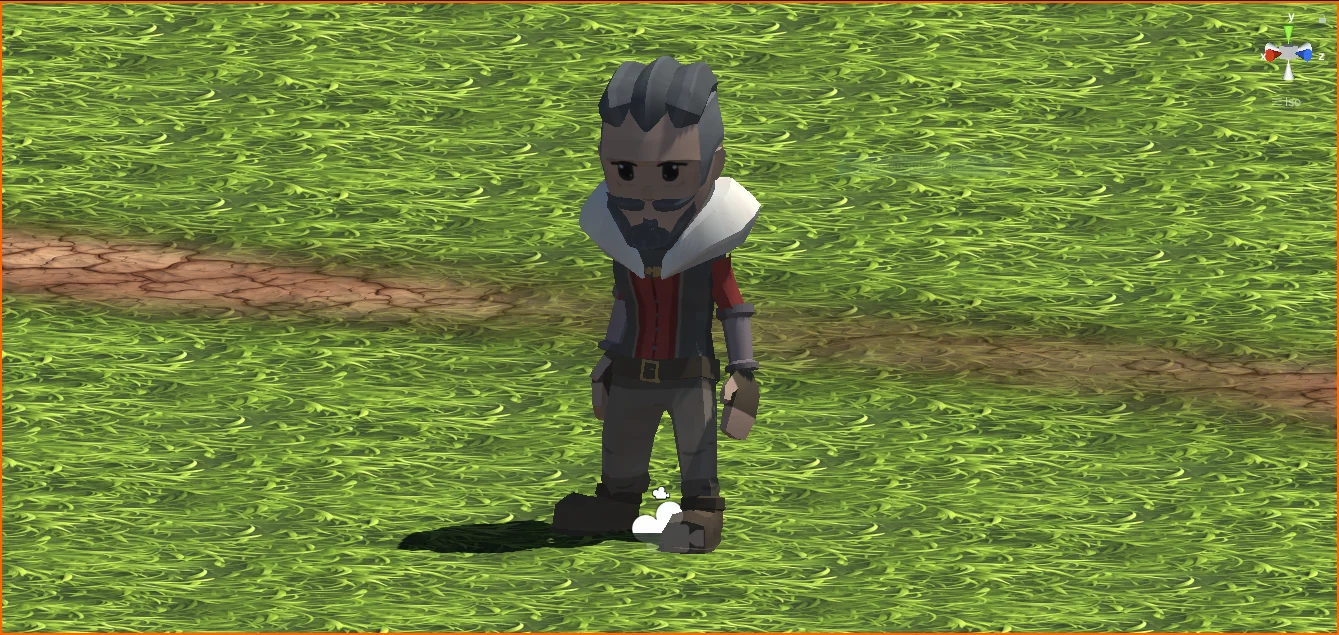

The game targets a bright, vivid aesthetic: bold colours, strong outlines, and a visual style that sits somewhere between graphic and painterly. The world it depicts is in serious trouble, but it doesn't look like it, and that contrast is intentional.

Brought to you by Classic Niall

General Update

There really isn't much to say on this update.

My "9-5" has kept me pretty busy lately, but I've got some time now and I've been working on the project management side of things.

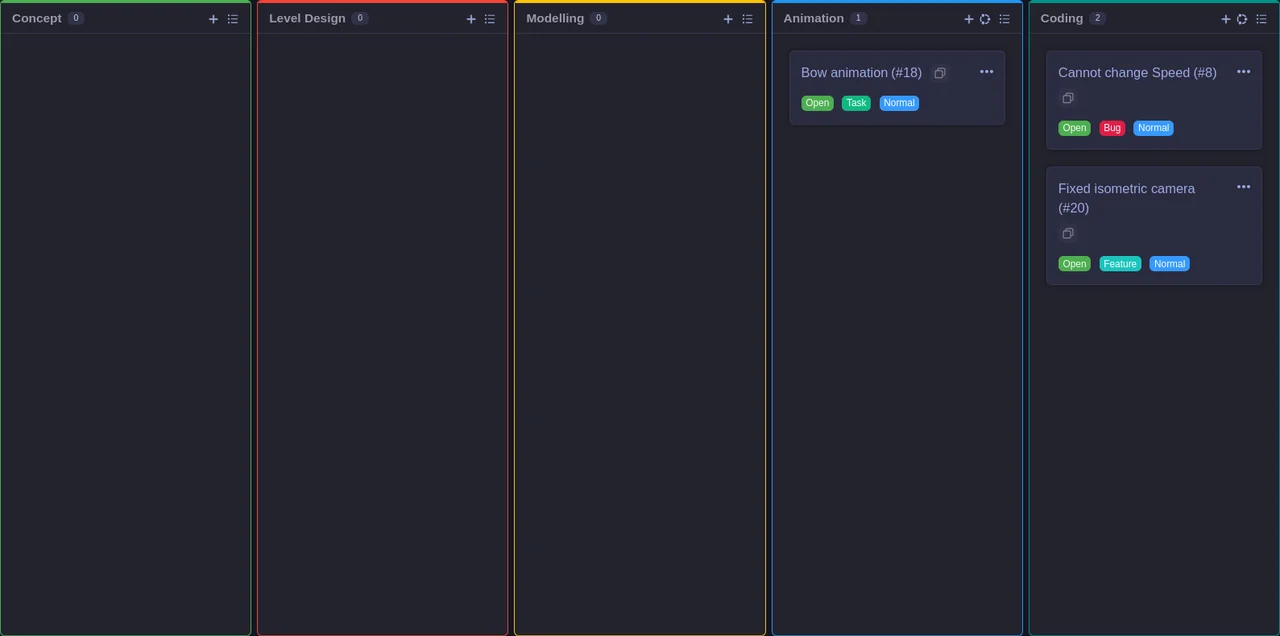
However, I have spent this morning getting it all sorted (see the image for the "ooh look, it's working" version), and now that I've got the iterations/phases sorted, I hope to make some progress and be able to keep track.

I really ought to hire a PM for all this.

Getting the ducks in order

You can probably see from the latest bunch of commits, I've been giving this project some serious attention.

I think the main point is that the Project is now coming together. The assets have been organised, there's a real structure there now, and the game docs are actually unified, which will help with drift.

VFXs are now coming into play, which is an interesting curve, and the save system has fully moved over to JSON (which I do like). There were a lot of bugs to squash along the way, as as per usually, bugs are hyrdra.

A lot of refactoring all around, but it's worth it.

Reorganising assets

VFX

A complete reworking to get the VFX looking much shaper.

144. Saving Race Conditions

143. Delegates And Actions For Leveling Up

142. Events And Delegates

141. Squashing Health Bugs

140. Displaying The Level

139. Levelling Up

138. Performant Lookups With Dictionaries

137. Displaying Experience

Saving System issues

Fixing Prefabs

They all become broken

136. Saving Experience Points

135. Finding A Stat By Enum

134. Editing Scriptable Object Files

133. Awarding Experience Points

132. Enemy Health Display

131. Debug Health Display

130. Looking Up The Health Stat

Missing files and cleaning up

129. Progression Scriptable Object

128. Progression Design

Moving things around

And adding some other enemy types.

Fixes for the fixes

You fix one thing, and another 7 break

Cleaning up save system scripts

Random updates

I've been fixing a lot of things, so I think all these are just normal updates.

Deleting this file

I don't think it's needed anymore

Moving Blend files out of Unity

Probably missing some assets, maybe "sword" isn't "sword" but actually "sword 2" from a different pack.

MapToMAST Generator

A simple tool that takes VTT maps and creates Unity levels based off them, using MAST tool. And some other random changes.

A few updates

Sandboxing with MAST again

Fertile Soil MAST

Going back to FSP MAST setup. Better aesthetics, apparently. Using Modular Terrain 1 and maybe switch to 2 later.

Imported Crops

Updated asset list

Adding Crops

MVP OoS Asset Packs

Importing assets

Opened up Unity so it can import assets, sync up, etc.

Updating weapons

The Ultimate Pack, overwritten with the Medieval/Modular Weapons pack - why? they render better (colours in the 3D Viewer) AND gives more variety.

Cleaning up weapons

"Lost weapons" are Q's Modular Weapons, the ones not replaced/overwritten by Ultimate RPG Pack

Art bible specs

127. Pickup respawning

125 + 126 - resources and saving weapon

I did 124 myself

Updating Docs

Renaming Docs

More Unix friendly

Updated Docs

Files were moved

I don't know why, but they've been put back. Unity needs opening up again to sync/import.

Reassign materials

Material location broke when moving files. This fixes it.

Updated Game Docs

After some futher adjustments and inspiraton, these should be locked down now.

123. Destroy The Unwanted

Double check after merge

Because SourceGit seems to randomly NOT stay sync'd up!

Impact FX and moved assets

I should have separated these out, but I didn't, so it's a mess. Moved the assets, whilst working on the Impact FX, and the Magic Missile. It works, just messy.

Finally got "Magic Missile" working

Took far too long, uncovered and fixed some bugs, also played around with VFX Graph (maybe for later, not prototyping).

Update Docs: reflect current workflow/progression

121. Fireball Particle System

Skipping until I get the aesthetics sorted.

Made the bow bigger

Update asset list

120. Fireball Weapon & Pickup

Projectile doesn't show if using the wrong animation; used Pistol as it has a projectile. Spell is just AoE kind of thing

119. Improve Projectile Behaviour

Fixed the sword pickup transform values

118. Destroy Old Weapon

Renaming for Sandbox

Some changes Just updating stuff

Cleaning up assets New build; using own models from scratch, Blender -> Unity

Updated docs

More concepts These are added as tests, etc., they serve no specific purpose

Moving concepts out of the Unity dir

Upgraded Unity version to LTS

This includes security issue fixes and installed Recorder for screenshots.

Why exactly is this changed since pulling?

Tweaked assets for Simple Weapons 2, left hand

Added some new concepts

Tweaked assets for Simple Weapons 1, right hand

Not entirely too sure, but probably to do with the weight painting

#4 - Baron eyebrows and cape; try weighting

Mesh weight painting

After getting the Baron character model rigged and animated, I noticed some bugs with the cape and eyebrows (they literally disappeared).

Both the eyebrows and cape were a separate mesh, but a part of the same object, so to rectify, I merged some vertices from each to some from the main body. Then auto-weighting the model again fixed these issues.

Further work is needed for the cape, as it's clipping into the back.

#9 - Water edge/foam shader; but intersecting foam not working

Updated gitignore - stupid idea folder

#1 - Tree import settings

Water shader

I've been working on this for a while, trying out different techniques. I think I finally have a style I like.

All that is next is to figure out why the "intersecting foam" isn't working as intended.

URP Terrain Tree Painting Error

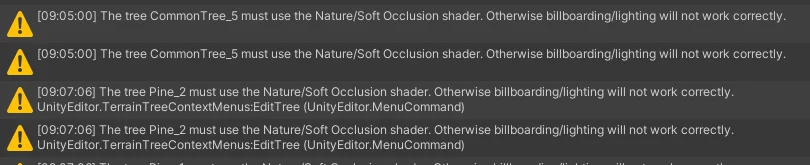
I was getting this issue for weeks. Using imported assets, whenever I painted trees on to Unity's terrain, I got the error message of The tree [Name] must use the Nature/Soft Occlusion shader. Otherwise billboarding/lighting will not work correctly.

This didn't affect the game or project in any way, but it was surely annoying.

I had 2 options:

  • Use different models
  • Use the default shader

Neither of these were ideal.

I finally figured it out by using LOD. It required creating a new Prefab, an empty GameObject with the LOD component. Within that, 3 child objects that were the model in question. These were named LOD[0-2], and were placed in their corresponding LOD (within the parent component). Maybe I could have used just 1 child object.

Then I had the painstaking process of replacing all the trees for every terrain with the new prefab version.

Replanted the scenes :-D

Added blurb to TechDoc

Added title to TechDoc

Mass re-import and bug fixes; things unrelated, but a big ol' patch; just need to fix annoy tree warnings

Added Technical document for how-tos

"#14 - Test scene management; tweaks to get a second scene working and looking good"

Updated gitignores

Updated with Rider

Fix a bunch of bugs

#3 - Saving update; up to step 2

Get rid of MicroSplat

"#12 - Shader to pull from Terrain"

Tweaks and testing before #10

Notes to credits.md

Added additional reference game

Added Hit event to Punch anim

Cleaning up assets

Baron rigging

Have imported Animations working, albeit models are twisted

A commit before Blending models - not sure why so many files though

Getting models and animations into place

Some tweaks to the environment

Water shader, minus the "foam" (just is buggy)

Tweaked the terrain paint

Updated Fields_Cliffs shader with [2] Blue Channel

Added SplatAlpha to Triplanar shader

Updated terrain paint

Custom triplanar shader

Triplanar Splatmap

Ooh boy, this was a fun one.

Within Unity, you have the Terrain tool. This is great for creating levels/environments. Adjust the height, add some colour/texture, and paint some trees.

However, the biggest issue is the vertical stretching.

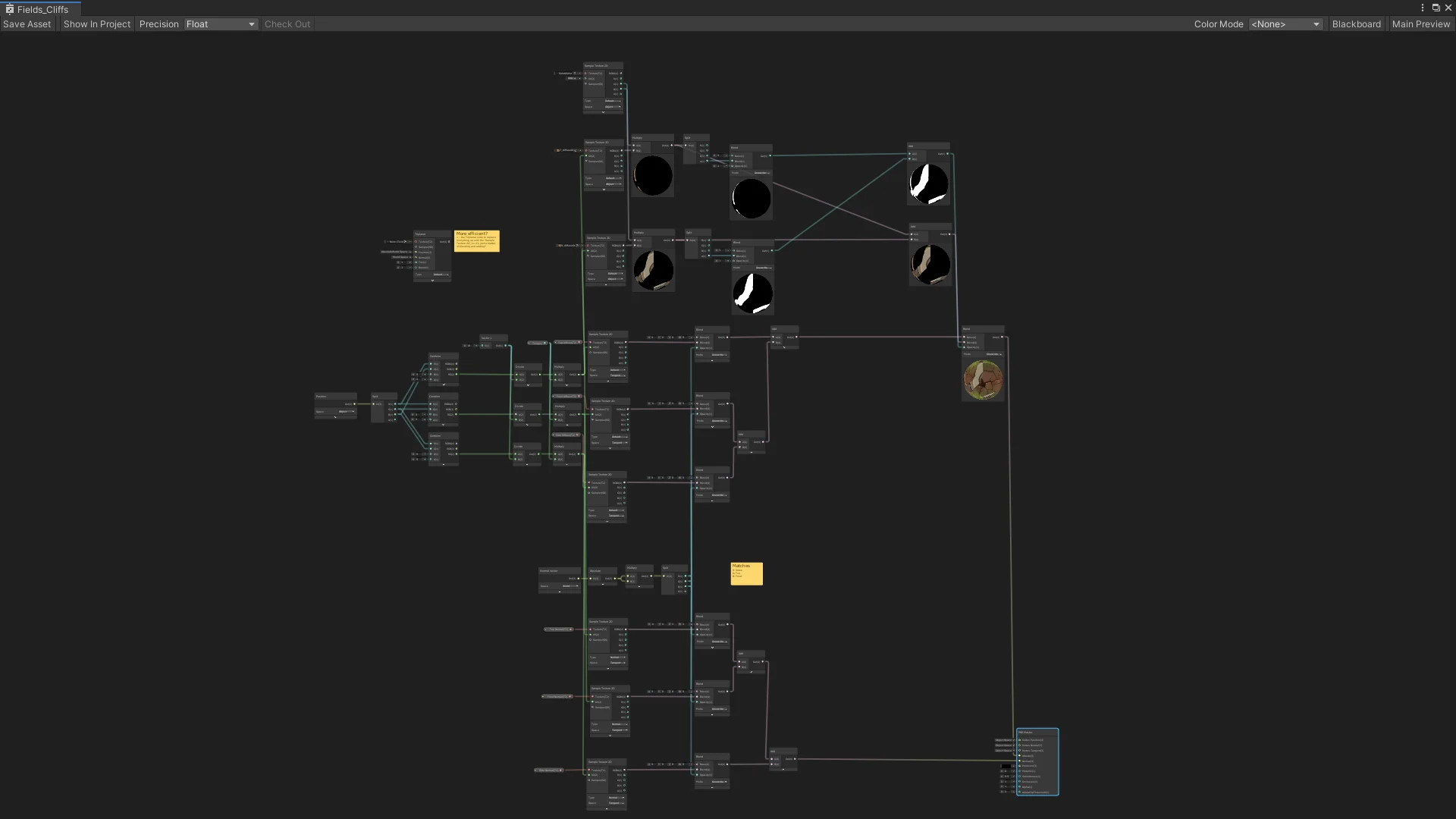
Long story short, I had to create my own triplanar shader for the vertical faces, and also integrate the splatmap too. It took some time, but it was finally done.

And it's fairly dynamic too!

Updated some model materials

Some fixes, I think

Updated MicroSplat Core

Upgraded to 2019.4.40

Microsplat asset for triplanar

Updated textures and materials

Scaling

Textures

Added Springmeadow neighbouring terrains

tweaked camera rotation

Changes to Springmeadow Campsite

Added portal

Added Credits file

Updated assets to remove unused

Added the other levels, and pushing along with some other auto-generated changes

Made some changes, but committed much later (and forgot)

FBX settings. If Blender looks okay, FBX Export (Z Forward, Y Up); Preserver Hierarchy in Unity. Apply Texture to Material to Model.

Updated texture paths in Blender

Updated assets

Organsied assets

Fixed the missing bridge and imported/metad everything

Restore the Gob!

Cleaning up assets

Updated Games Design Document.md

Format Games Design Document.md

Formatting GDD

Fix image

Forgot to make it .MD

Add Games Design Document (Udemy S3.21)

Remove ignored files

Generated gitignore for project

Gitignore csproj

Are we ignoring all idea folders?

Tweaking the level to match Udemy

Updated Library

Catching up with Udemy

Update Library

Moved assets around

Rename Springmeadown Campsite terrain

Made terrain walkable - NavMesh Navigation

Imported Ultimate Nature Pack

Added Ultimate Nature Pack

Updated Library

Springmeadow Campsite design

Updated Library

Scaled up the scene

Library update

Redesign of Springmeadow Campsite based on DnD map

Moved Concepts into Assets to be used in Unity

Battlemaps from DnD Campaign

Added gitignore for Temp files when Project is open

Some Library files

Updating meta files and Library

Moved assets around

Merged the Nature folders

Rename Monsters folder

Updated to 2019.4

Rebuild Library

Testing on Ubuntu

Updated gitignore to ignore meta files if asset is ignored also

Organised assets

Unity project running

Organise assets

Organised assets

Completed 'How to Git with Unity'

Git Attributes

Update Visible Meta Files

On RackStation

Update gitignores

Trying to get Ranger rig working

Ranger rigged and animation append

Section 10: Simple Weapons, up to 114 - Left Handed Weapons

Section 8: Saving Asset Pack

Namescaped the code

Import Saving System

Section 7: Scene Management

Up to video 63 - cinematics

Some fixes and stuff

New nav bake

Character models from Quaternius

Tweaked CameraController to be isometric fixed angle

Cleanup project files

Enemy AI

AI suspicion

AI Guarding

IMport house models to assets folder

Extract house models to assets folder

get rid of debug log

Disabled control when dead

Missing few lines of CharacterMotor; updated to fix and no longer using Brackey's code

Cleanup code and on ep. 48

Basic combat finished. Need to add death anim

All rigged and animated, on to video 39

Animation clips and collider positions

Updated character tags

Updated controller with correct attack animation

Update to child rigging

Assets

Funny things

Goblin animated and imported. Can now run. Variable prefab. Need to attack.

House and bridge

After loads of experimenting with Rigify

Rigged the Goblin

Variant prefabs

Created Player so scripts are all on Baron. Gonna be difficult to change models now

Tried duplicate to remove read only

Animations: Trying to get Hit() to work - Read Only?

Sorting out Dependencies

Start of Combat Controller

Added some monsters; tweaked some code

Constant moving when mouse held down

Camera controller how I like it

Textured river bed

River

Terrain Tree Billboard Start to view trees

Basic movement tweaks, but first, camera controller.

Updated player prefab

Some tweaks to controllers

Movement animation; pulling from Brackeys. Needs cameraController.

Unity project set up

Fresh start for Udemy course

Backup before doing Udemy course